
Description
DataChat AI is free. Everything you need to ask your WordPress and WooCommerce data questions in plain English: charts, tables, CSV export and the same read-only security as the paid editions. Bring your own AI key — Google AI Studio and Groq have free tiers — and you are running in five minutes.
Ask your WordPress data anything
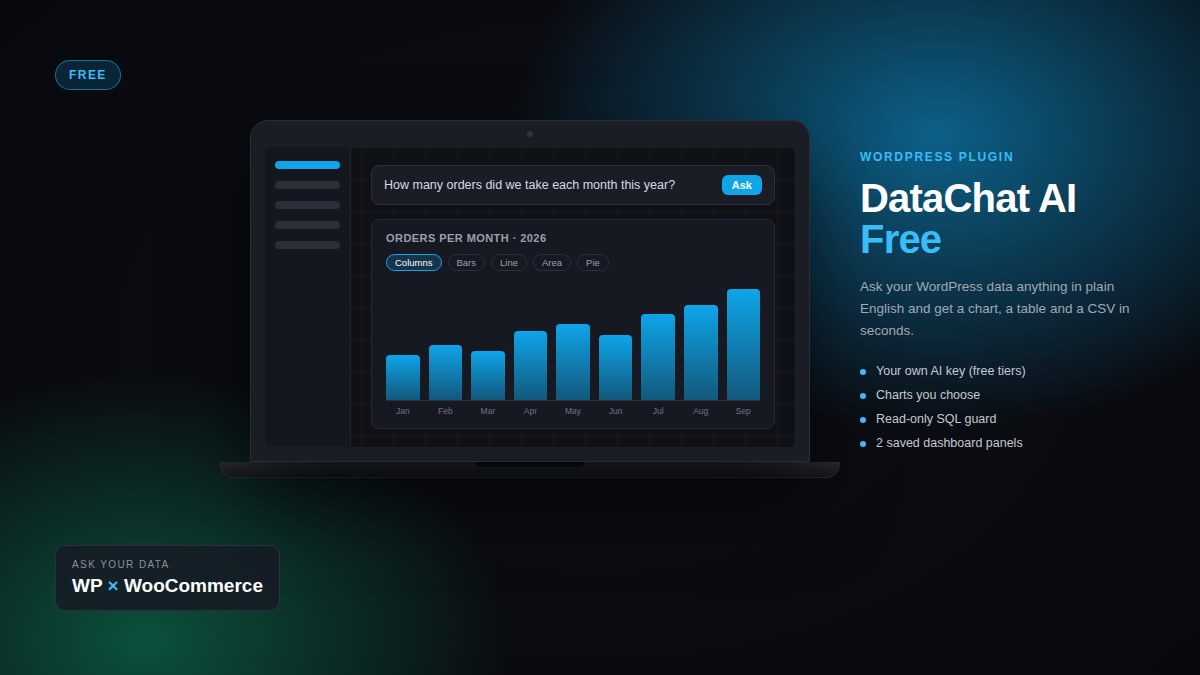
DataChat AI adds a question box to wp-admin. Type “How many orders did we take each month this year?” or “Which ten products sold best last quarter?” and get a chart, a table and a CSV in seconds — then save the answer as a panel on a dashboard.
What you get
- Plain-English questions under DataChat → Ask, with follow-ups (“and last year?”) and clickable example questions.
- Charts you choose: the AI proposes one, you switch between columns, bars, line, area, pie and KPI in one click. Time always runs forwards, long labels turn the chart on its side, and colours follow your theme.
- Dashboards: save up to two panels that re-run live, with optional auto-refresh. Need more? Pro and Agency are unlimited.
- WooCommerce ready: share the order and product tables and ask about sales, customers and stock.
- No external chart library: charts are drawn as inline SVG, about 20 KB of JavaScript, no CDN.
Safe by design
- Every query is checked before it runs: a single read-only
SELECT, only on the tables you chose to share, always with aLIMIT. - Sensitive columns (passwords, emails, session tokens) are blocked and masked by default, and you can add your own.
- Optionally run every query as a MySQL user that can only read.
- Only people with the capability you choose can ask; every question and query is logged.
- Your data stays on your server: the AI sees the question, the table structure and a small sample of result rows (30 by default) to design the chart — never the rest.
Compare the editions
| Free £0 |
Pro £149 / year |
Agency £299 / year |
|
|---|---|---|---|
| AI model | Your own API key | Included – no key needed | Your own API key |
| Questions | Unlimited at your provider’s rates |
~300 a month included then switch to your own key |
Unlimited at your provider’s rates |
| Providers | Google, Groq, OpenAI, Ollama & any OpenAI-compatible | Included model, plus all of these | Google, Groq, OpenAI, Ollama & any OpenAI-compatible |
| Sites per licence | Any number | 1 | 10 |
| Saved dashboard panels | 2 | Unlimited | Unlimited |
| Scheduled email reports daily, weekly or monthly |
— | ✓ | ✓ |
| Shortcodes to show dashboards on your pages | — | ✓ | ✓ |
| White label your name and icon for clients |
— | — | ✓ |
| Plain-English questions in wp-admin | ✓ | ✓ | ✓ |
| Charts you choose, tables, CSV export | ✓ | ✓ | ✓ |
| WooCommerce data (orders, products, customers) | ✓ | ✓ | ✓ |
| Read-only SQL guard, masked columns, query log | ✓ | ✓ | ✓ |
| Licence & updates | — | 1 year, renew with the same key | 1 year, renew with the same key |
| Get Free | Get Pro | Get Agency |
How to use DataChat AI
1. Install. Download the zip from your account, then in WordPress go to Plugins → Add New → Upload Plugin, choose the file and press Install Now → Activate.
2. Connect the AI. In DataChat → Settings pick a provider — Google AI Studio (free key at aistudio.google.com/apikey), Groq, OpenAI, or any OpenAI-compatible endpoint such as Ollama — paste your API key and press Test connection. List what this key can use shows the models your key can call.
3. Choose your data. In DataChat → Data & schema tick the tables the AI may query (posts, orders, products, customers…) and add a few lines of business context, e.g. “revenue = completed and processing orders”. Nothing to deploy: the schema travels with every question.
4. Ask. Go to DataChat → Ask and type a question in plain English. You get a chart, a table, the SQL that ran and a CSV export. Switch the chart type with one click, ask a follow-up (“and last year?”), then press Save to dashboard.
5. Dashboards. DataChat → Dashboards shows your saved panels, re-run live every time you open them (up to two panels in the free edition). Emailing dashboards on a schedule, and shortcodes to show them on your own pages, come with Pro and Agency.
Questions to try: “Revenue by month this year” · “Top 10 products by units sold last quarter” · “New customers per week” · “Posts published per category”.


Reviews
There are no reviews yet.